

Global payments


Subscribe to our newsletter
Get the latest updates, insights, and tips delivered straight to your inbox.
Waiting for an international payment can be frustrating, especially when the sender says they've paid but the money hasn't reached your account.
The first step is to check the payment status with the bank or payment provider handling the transfer. If the status is unclear or the expected arrival date has passed, you may need to ask the sending bank to trace the payment or contact the receiving bank to check for incoming funds.
This guide explains how to track an international payment online, understand payment statuses, investigate delays, and track international payments received in India.
TL;DR
Check the payment status: Open your bank or payment provider's app and find the transaction.
Get the reference number: Keep the transaction ID, bank reference, or UETR handy if available.
Check the expected arrival date: Transfer times depend on the payment route, banks involved, currencies, and additional checks.
Contact the right institution: The sending bank can investigate the transfer, while the receiving bank can check for incoming funds.
No reference number? Share the payment date, amount, currency, sender and recipient details, and payment confirmation.
Keep records: Save the confirmation, relevant documents, and investigation reference until the issue is resolved.
How Can You Track an International Payment Online?
The easiest way to track an international payment is to check the bank or payment provider used to send or receive it. Depending on the provider, you may see a detailed transaction timeline or only a basic status.
Follow these steps:

Sign in to your account: Open your bank's official website or app, or log in to your payment platform.
Find the transaction: Look under Transactions, Transfers, or Payment History.
Open the payment details: Check the date, amount, currency, recipient details, reference number, and current status.
Check the expected arrival date: Compare the estimated delivery date with the current status.
Follow up if the payment is late: Contact the bank or provider and ask whether the payment is still processing, requires additional information, or has reached the receiving institution.
Can't find the transaction? Check your date range and currency filters. If you're expecting money, ask the sender to confirm that the payment was actually released. A scheduled payment may not have entered the transfer process yet.
Where Should You Start Tracking Your Payment?
The right place to check depends on whether you sent the money, are waiting to receive it, or used a payment platform.
Your Situation | Where To Check | What To Ask |
You sent the payment | Sending bank or transfer provider | Has the payment been released? Can it be traced? |
You're expecting money | Receiving bank or payment provider | Has the payment arrived? Is anything needed before it can be credited? |
The sender says the payment is complete, but you haven't received it | Start with the sending provider, then contact the receiving bank if needed | What is the latest confirmed update? |
A client paid through a business payment platform | Platform payment and settlement records | Has the payment been collected and settled to your bank account? |
Remember that money leaving the sender's account does not necessarily mean it has reached yours. Identifying the last confirmed stage helps you decide whom to contact next.
What are UETR and MT103 in International Payment Tracking?
If a bank needs to trace a payment sent through SWIFT, it may ask for a UETR or refer to an MT103. These serve different purposes, but both can help identify and investigate a payment.
You won't need either for every international transfer. Their relevance depends on how the payment was sent and what records the bank can provide.
What is a UETR?
A Unique End-to-end Transaction Reference (UETR) is a unique identifier used in relevant SWIFT payment messages. It helps participating financial institutions identify and trace a payment through the banking chain.
If your bank provides a UETR, keep it handy when following up on a delayed payment. Share it with your bank and ask it to check the payment's reported status.
Important Note: Not every international transfer uses SWIFT, so a UETR may not be available for your payment.
What is an MT103?
An MT103 is a SWIFT message type used for customer credit transfers. A copy or equivalent payment confirmation may contain information such as the sender, recipient, amount, currency, and payment references.
If you need more information about a transfer, ask the sending bank whether it can provide an MT103 copy or another suitable payment confirmation.
An MT103 is not a tracking website, and having a copy does not automatically prove that the money has reached the recipient's account.
Do You Need to Understand ISO 20022?
Not for everyday payment tracking. ISO 20022 is a standard for exchanging financial messages. Payment-message formats can vary depending on the payment and the institutions involved.
If your bank asks for a particular reference or document, use the details it provides. You generally don't need to interpret the technical message format yourself.
What Do International Payment Statuses Mean?
Payment status labels vary between banks and payment providers. The following table explains what common statuses generally mean and what you can do next.

Status | What It Usually Means | What To Do Next |
Initiated or Submitted | The payment request has been created or submitted, but processing may not be complete. | Confirm that the sender completed the submission. |
Processing or Pending | The payment is still being handled. | Check the expected timeline and look for requests for more information. |
Sent or Dispatched | The provider says the payment has been sent onward, but the recipient may not have been credited yet. | Check for an update and follow up if the payment is late. |
Completed or Successful | The provider has marked the transaction, or a particular stage, as complete. | Confirm whether the money has reached the recipient's account. |
On Hold or Under Review | The payment may need additional checks or information. | Contact the provider to find out what is required. |
Rejected or Failed | The payment attempt was not completed. | Ask why it failed and whether the money will be returned. |
Returned | The payment is being sent back, which may take additional time. | Ask about the return status and expected arrival date. |
What Do SWIFT gpi Status Codes Mean?
Some eligible payments tracked through SWIFT gpi use technical status codes. If your bank shares a code with you, ask it to explain what it means for your particular transfer.
Code | Meaning |
ACSP | The payment has been accepted for execution after the relevant checks. This does not confirm that the recipient has been credited. |
ACCC | Settlement on the recipient's account has been completed in the relevant SWIFT tracking context. |
RJCT | The payment or payment instruction has been rejected. |
You may never see these codes yourself, and not every international payment uses SWIFT gpi. In most cases, your bank's explanation of the payment status will be more useful than the code alone.

How Long Does an International Payment Take?
There is no fixed timeline for every international payment. The time depends on the banks involved, currencies, payment route, cut-off times, weekends, public holidays, and any additional checks or documents required.
Some transfers arrive quickly, while others take several business days. Payments passing through intermediary banks or using less common currency routes may take longer.
If you're trying to determine whether your payment is late, check the following:
The estimated arrival date given by your bank or payment provider.
Whether the estimate starts when the payment is submitted or when it is released.
Weekends and public holidays in both countries.
Whether the expected arrival date has passed without a clear update.
If you receive money through a business payment platform, remember that collecting a payment and settling it into your bank account can be separate steps. Your client may have paid successfully even though the transfer to your account is still being processed.
Why is Your International Payment Delayed or Missing?
A delayed payment does not automatically mean the money is lost. It may still be moving between banks, waiting for a review, or awaiting credit by the receiving bank.
Common reasons include:
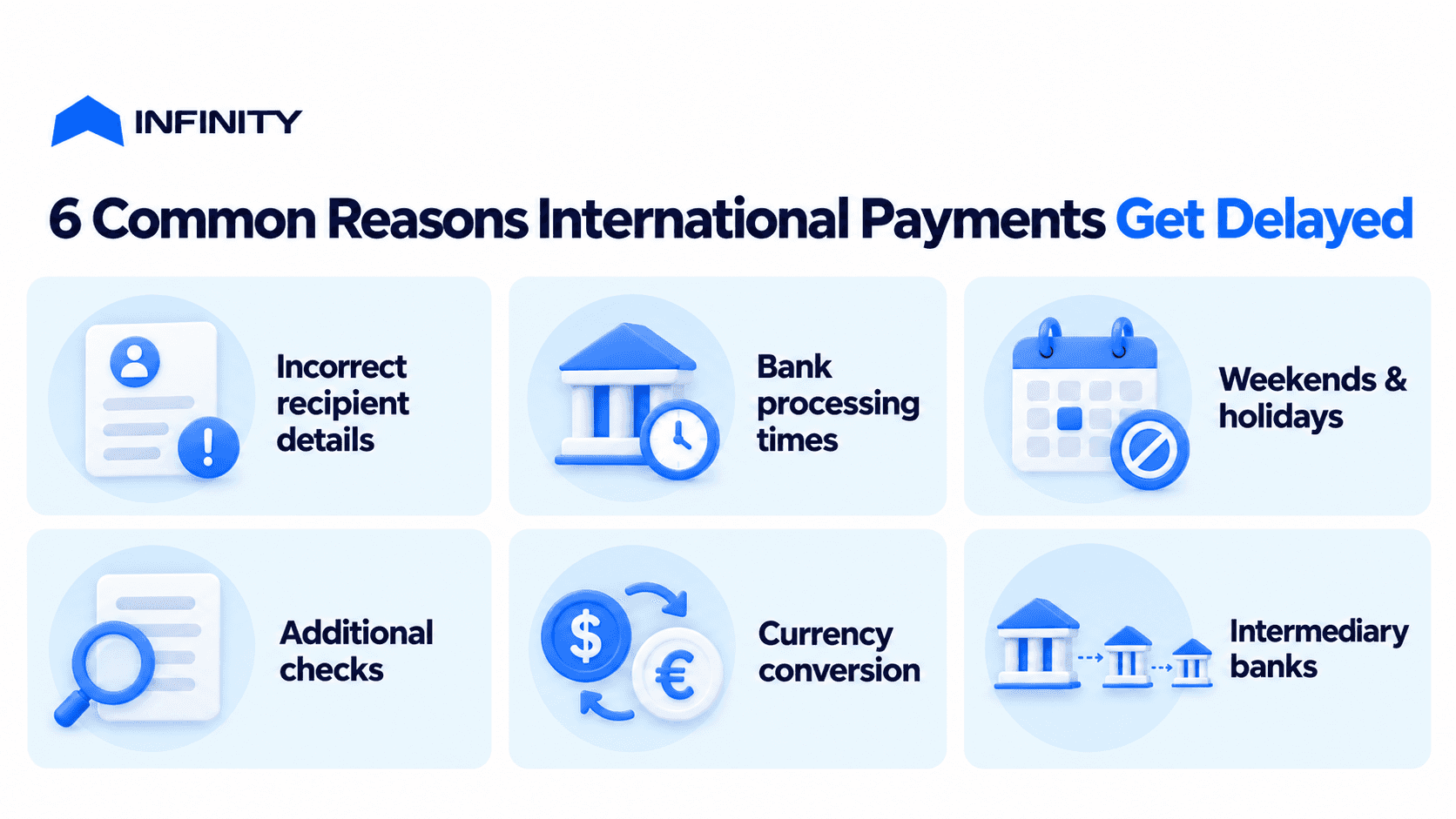
Incorrect recipient details: An incorrect account number, name, or bank code can delay the transfer or cause it to be rejected or returned.
Bank processing times: One or more banks may need additional time to process the payment.
Cut-off times and time zones: A payment sent after a bank's daily cut-off may not be processed until the next business day.
Weekends and public holidays: Banks in the sending and receiving countries may follow different working calendars.
Additional checks: A bank or provider may need to review the payment or request supporting information.
Currency conversion: The transfer may need to go through currency conversion before the money can be credited.
Intermediary banks: Some transfers pass through additional banks, adding to the processing time.
Receiving bank delays: The money may have reached the receiving bank but still be waiting to be credited to your account.
The best way to narrow down the cause is to obtain the latest confirmed update from the bank or payment provider. If the payment is overdue or the status does not explain the delay, ask the provider to investigate.
How to Resolve a Delayed International Payment
If the expected arrival date has passed, repeatedly checking the same status may not help. Use the payment details to find out where the transfer stands and which institution needs to take action.
1. Check the Latest Update
Open the transaction and look for a new status, message, or request for information. If the payment still says "Processing" or "Pending", ask the provider whether it is progressing normally or needs attention.
2. Verify the Payment Details
Compare the recipient's name, account details, bank information, amount, and currency with the original payment instructions.
If you notice a mistake, contact the sending bank immediately. Whether it can correct the details depends on how far the payment has progressed.
3. Ask the Sending Bank to Trace the Payment
If the payment is overdue and there is no clear explanation, ask the sending bank or payment provider to investigate. Keep the following details ready:
Payment date or approximate date.
Amount and currency.
Sender and recipient details.
Transaction or bank reference number.
UETR, if available.
Payment confirmation or receipt.
Ask where the payment was last confirmed and whether it has reached the receiving institution.
The sending bank is usually the best place to start because it handled the original payment instruction and can request information through the relevant banking relationships or payment network.
4. Contact the Receiving Bank if the Payment Has Reached It
If the sending bank confirms that the payment has reached the receiving bank, contact the receiving bank and ask it to check its incoming-payment records.
Provide the sender's name, amount, currency, payment date, and reference number. Ask whether the money has arrived, is waiting to be credited, or requires further information.
5. Keep a Record of the Enquiry
Save the payment confirmation, reference numbers, messages, and investigation case number.
If the provider gives you a date for the next update, follow up if you haven't heard anything by then.
Avoid sending the money a second time just because the first transfer is delayed. First confirm whether the original payment was completed, rejected, or returned.
Can an International Payment Be Cancelled or Recalled?
You can ask your bank to cancel or recall an international payment, but getting the money back is not guaranteed. It depends on the payment method, how far the transfer has progressed, and whether the recipient has already received the funds.
If you've sent a payment by mistake:
Contact the sending bank or payment provider immediately.
Share the payment reference and explain what happened.
Ask whether the transfer can still be stopped or a recall request can be made.
Check whether any fees apply and what happens next.
If the payment has already been processed or credited, the receiving bank or recipient may need to be involved. A recall request does not guarantee that the money will be returned.
If you suspect fraud, contact your bank or payment provider immediately and follow its reporting process.
How Can You Track an International Payment Received in India?
If you're expecting money from another country into your Indian bank account, start by confirming that the sender has released the payment. Then check with your bank or payment provider to find out whether the money has arrived or is still being processed.
Step 1: Confirm That the Sender Released the Money
Ask the sender for payment confirmation and the reference number. If the payment has only been scheduled, it may not have entered the transfer process yet.
Step 2: Check Your Bank or Payment Provider
Look for the incoming transaction and check its date, amount, currency, and status. If you're using a payment platform, check whether it has received the money and whether settlement to your Indian bank account is still pending.
Step 3: Check Whether More Information Is Needed
Depending on the payment and its purpose, your bank or provider may ask for supporting information or documents before crediting the money. Follow the instructions for your particular transaction because requirements can vary.
Step 4: Contact the Institution Handling the Payment
If the sender's bank confirms that the transfer has reached the receiving institution, contact your receiving bank or payment provider.
Share the payment reference and ask whether the money has arrived or whether anything is preventing it from being credited.
If you receive international business or freelance income, keep the payment confirmation, relevant invoice, and remittance documents together. This makes it easier to answer questions and follow up on a delayed payment.
How to Track an International Payment Without a Reference Number
You can still ask your bank or payment provider to look for a payment without a formal tracking reference. It may take longer to identify the transaction, so provide as many accurate details as possible.
Information to Provide | How It Helps |
Sender's name or business name | Helps identify who initiated the payment. |
Recipient's name and account details | Helps confirm the intended beneficiary. |
Payment date or approximate date | Narrows down the period to investigate. |
Amount and currency | Helps distinguish the payment from other transactions. |
Sending bank or payment provider | Identifies the institution that handled the transfer. |
Payment confirmation or receipt | Shows that the payment was submitted. |
Invoice number or payment purpose, if relevant | Helps match the transfer to a business transaction. |
If you sent the money, contact the sending provider first. If you're waiting to receive it, ask the sender to confirm the payment details. Contact your receiving bank or provider if the funds should already have arrived. Never share your password, one-time passcode, or account login details when asking for help.
How Businesses and Freelancers Can Track International Payments
When you receive payments from several clients or countries, keeping track of every transfer can become difficult. You might have multiple invoices due, payments in progress, and clients saying they've already paid.
A simple payment record helps you identify outstanding invoices and follow up on overdue payments.
For each payment, record:
Client and invoice: Who owes the money and which invoice it relates to.
Amount and currency: How much you expect to receive.
Expected payment date: When the client says the money should arrive.
Payment reference and status: Details you can use when following up.
Date received: When the money actually reaches your account.
Supporting documents: Payment confirmations, receipts, invoices, and relevant remittance documents.
A client's confirmation that they've paid is a useful starting point, but it does not establish that the money has reached your account. Match the payment records to the actual bank credit before marking an invoice as settled.
If a payment is overdue, contact the provider with the reference and ask which stage remains outstanding.
How to Track an International Payment in Infinity App
If you receive international payments through Infinity App, QuickLinks helps you check payment collection, while Transactions lets you follow processing and settlement. These are separate stages: a completed checkout does not automatically mean the money has reached your Indian bank account.
How to Track a Transaction in Infinity
Open Transactions in your Infinity account.
Select All Transactions to see the full list, Processing for transactions still being handled, or Success for completed records.
Use Filter, Clients, and Time period to narrow down the results.
Check the date, client name, status, description, and amount.
Open the transaction to view its details and timeline.
The timeline may show when the transfer was initiated, when the transfer to your INR account began, when it was completed, and when the FIRA was generated.
Can't find a transaction? Clear your filters and check the date and currency before contacting support.
How to Check a QuickLinks Payment
If your client paid through an Infinity QuickLink:
Open QuickLinks and find the relevant link or invoice.
Check its status and confirm that the client, amount, and currency match your payment request.
Once the payment is recorded, open the related transaction to follow its settlement.
If the client says they were charged but the link still shows a pending status, don't ask them to pay again straight away. A charge notification does not necessarily mean the payment has settled to your account.
If the payment remains unresolved, contact Infinity support at support@infinityapp.in. Share the link or invoice reference, payment time, amount, and currency. Include the transaction reference if available so the team can investigate the correct payment.
Frequently Asked Questions About Tracking International Payments
1. Can I track an international payment without a reference number?
Yes. Contact the sending bank or payment provider, or the receiving institution if you're waiting for the money. Share the sender and recipient details, payment date, amount, currency, and any payment confirmation you have.
A reference number makes it easier to identify the transaction, but you can still ask the provider to look for it without one.
2. Can I track an international payment in real time?
Not always. Some banks and payment providers offer live or near-real-time updates, while others show only a few processing stages. The level of detail depends on the payment route and the tracking systems used by the institutions involved.
3. How can I track an international payment sent from India?
Open the bank or payment provider you used to send the money and check the transaction details. If the payment is overdue, contact the sending bank with the reference number and ask it to trace the transfer. Keep your payment confirmation handy in case the bank needs more information.
4. How do I know if the recipient has received my international payment?
Check the latest status with the sending bank or provider, then confirm with the recipient or receiving bank if needed. A status such as "Sent" or "Completed" may refer to a particular stage of the transfer, so ask whether the funds have actually been credited to the recipient's account.
5. Can I track an international payment using a UETR?
If the payment uses a relevant SWIFT payment message and a UETR is available, the reference can help participating financial institutions trace it. Share the UETR with your bank and ask it to check the payment.
A UETR does not guarantee access to a public tracking page, and it is not available for every international payment.
6. How can I track a payment received through a payment platform?
Sign in to the platform and check the payment or transaction status. If the payment has been collected but has not reached your bank account, check the settlement status and contact the platform's support team if the expected timeline has passed.
7. What should I do if an international payment is marked as successful but hasn't reached my account?
First, confirm what "successful" means for that particular provider. Ask the sending provider whether the payment has reached the receiving bank. If it has, contact your receiving bank with the payment reference, date, amount, and currency to check whether the funds are awaiting credit.


