

Discover infinity


Subscribe to our newsletter
Get the latest updates, insights, and tips delivered straight to your inbox.
If you are searching for an Xflow alternative, chances are you are already comparing platforms, not just learning about them.
You may not have a major issue with Xflow itself. But if you deal with international client payments often, you will naturally start asking a few practical questions like:
How much money you lose in fees and FX
How easy it is for your clients to pay you
How smoothly do EUR, USD, or other foreign currency payments work
How fast can you withdraw the money
whether the platform actually fits the way your business operates
That is usually where the search starts.
For agencies, freelancers, consultants, exporters, and startups, cross-border payments are not just about receiving money.
They affect your margins, your cash flow, and how easy it is for clients to pay you.
And if you have noticed that the EUR account support feels a bit limited for your needs, it makes sense to explore other options before you commit long-term.

In this guide, you will find the best Xflow alternatives based on what actually matters when selecting a cross-border payments platform: pricing, FX rates, account support, payout flexibility, and overall ease of use.
Must Read: How to Receive International Payments in India (2026 Guide)
Xflow Alternatives (Quick Glance):
Here’s a quick snapshot of which alternatives you should choose and why:
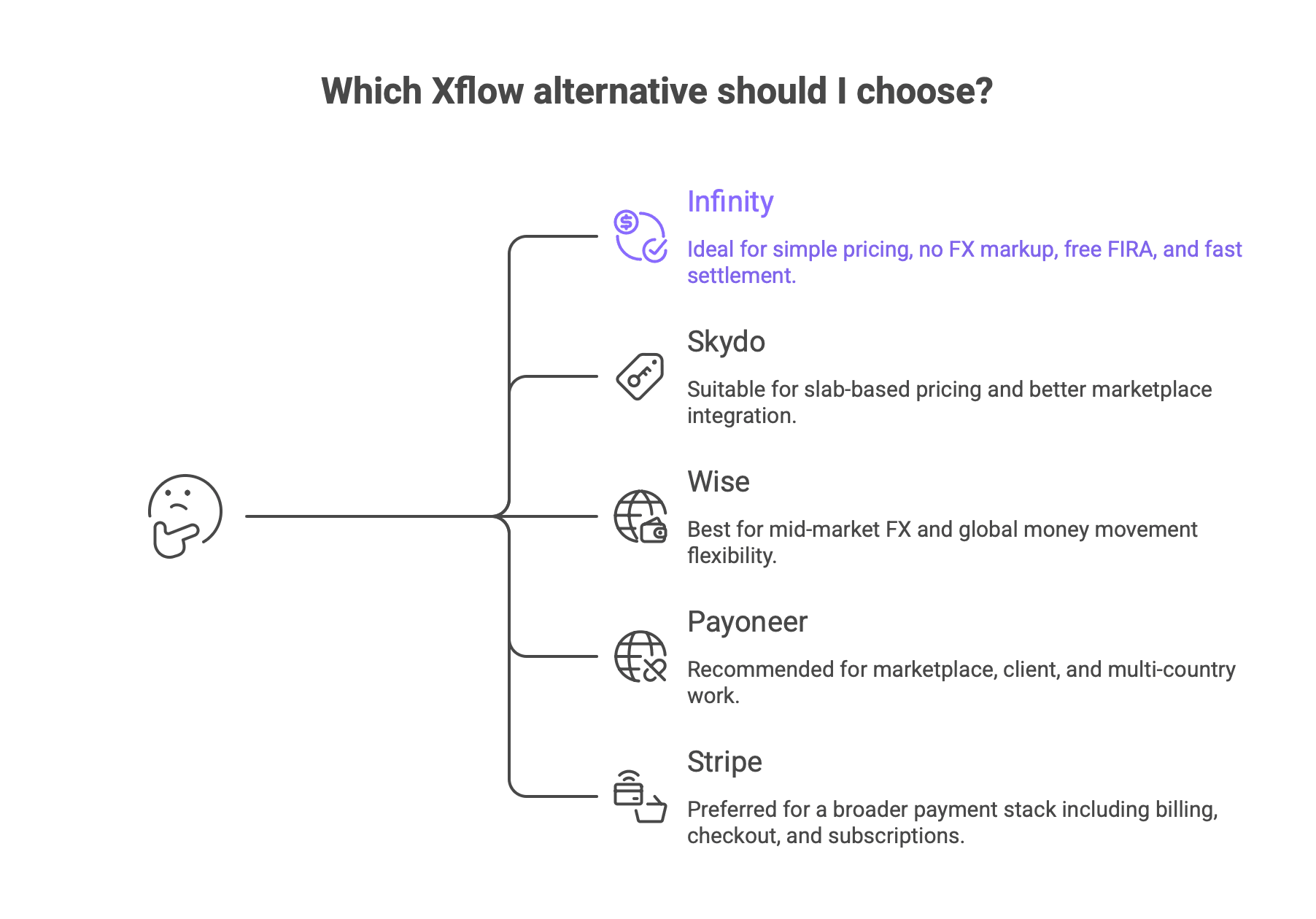
Infinity is stronger if you want simple pricing, 0% FX markup, free FIRA, and fast settlement.
Skydo can be worth considering if you need slab-based pricing and better marketplace integration.
Wise fits better if you care more about mid-market FX and global money movement flexibility.
Payoneer makes more sense if you work across marketplaces, clients, and multiple countries.
Stripe is the better fit if you need a broader payment stack like billing, checkout, and subscriptions.
Based on Your Use Case
Large + Small Invoices ($1K+) → Infinity
Slab-Based Pricing + 18% GST / marketplace integration → Skydo
Global payments + flexibility → Wise
Marketplace / global clients → Payoneer
SaaS / billing / subscriptions → Stripe
Also Read: Xflow India Review: Features, Pricing & Alternatives (2025)
Why Businesses Look for Xflow Alternatives
Xflow works well for many use cases. But as your payment volume grows, some limitations start to show:
Pricing depends heavily on invoice size and plan
Cost predictability changes across different payments
Multi-currency flexibility (like EUR support) may feel limited
Less flexibility in how clients can pay
This is usually when businesses start exploring alternatives.
How We Evaluated These Xflow Alternatives
We didn’t just compare features. Each platform was evaluated based on real payment scenarios:
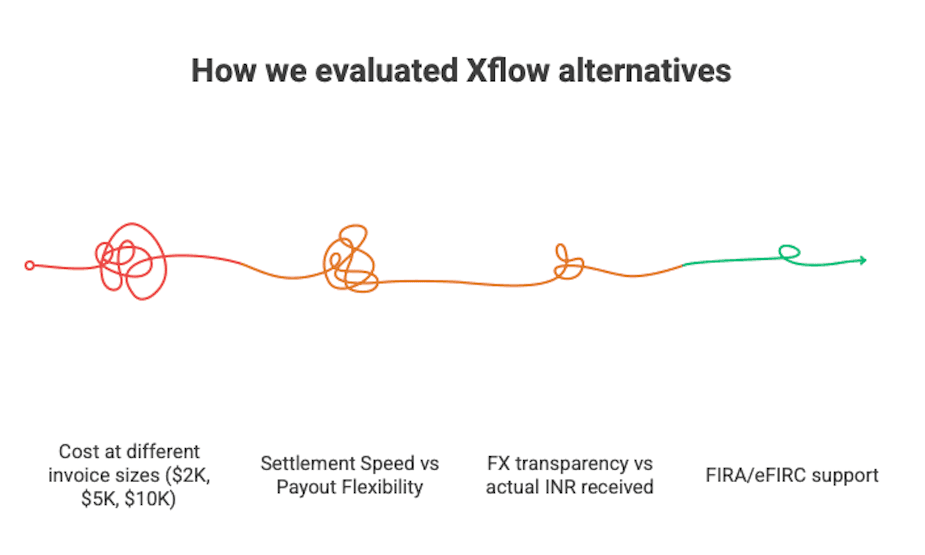
Cost at different invoice sizes ($2K, $5K, $10K)
FX transparency vs actual INR received
Settlement speed and payout flexibility
Ease of receiving payments from international clients
Compliance support like FIRA / eFIRC
Total cost predictability over time
We also modeled monthly scenarios (like $30K inflow) to see how costs change in real use

5 Xflow Alternatives for Cross-Border Payments (Detailed Comparison):
Criteria | Xflow | Infinity | Skydo | Wise | Payoneer | Stripe |
Fee model | Tiered | 0.5% | Flat / 0.3% + GST | Variable | Variable | 3%+ |
FX | Live FX | 0% markup | 0% margin | Mid-market | Route-based | +2% FX |
Settlement | Next day | 1 day | 1 day | Route-based | Varies | Payout-based |
Tracking | ✓ | ✓ | ✓ | ✓ | ~ | ✓ |
FIRA / eFIRC | eFIRA | Free FIRA | Instant FIRA | eFIRC* | ~ | ✕ |
India exports fit | ✓ | ✓ | ✓ | ~ | ~ | ✕ |
Client pay flow | Accounts | Links + Accounts | Links + Accts | Accounts | Requests | Checkout |
Note: One thing worth understanding here is that 0% FX markup and FX cost savings are not the same claim. 0% FX markup means the platform is not adding an extra hidden spread on the exchange rate. FX cost savings mean you may still end up receiving more money compared to banks or other providers. So, if you care about transparency, look at markup. If you care about the outcome, look at how much INR actually reaches your account. |
1. InfinityApp
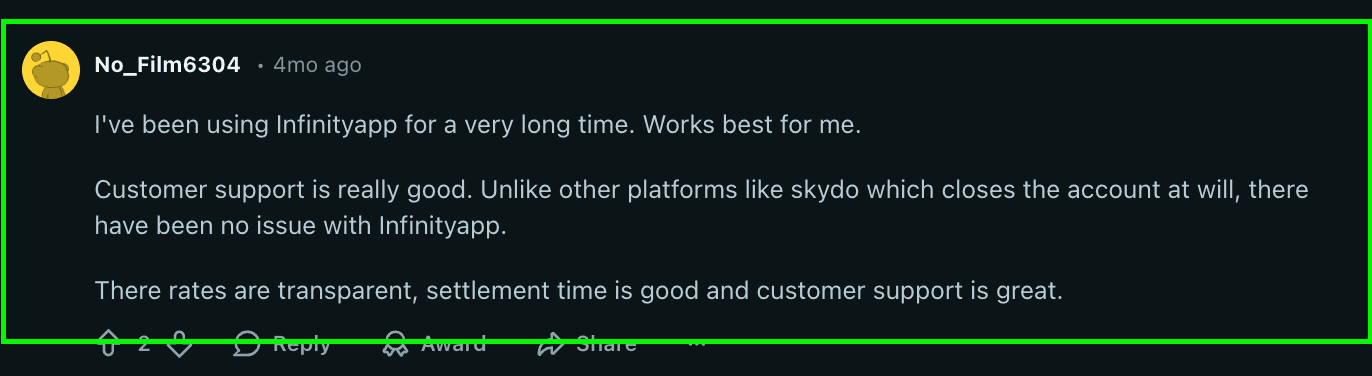
If you are comparing Infinity vs Xflow, the difference is not that one is for cross-border payments and the other is not.
Both help you receive cross-border payments in India.
But Infinity positions itself more around zero FX markup, faster settlement, and simpler pricing.
With Xflow, your costs depend more on the pricing plan you choose. With Infinity, the pitch is simpler: 0.5% all-inclusive fee, 0% FX markup, 1-day settlement, and free FIRA.
So if you care more about clarity, live FX visibility, and a faster settlement experience, Infinity will naturally stand out.
Pricing
Infinity keeps pricing easy to understand:
0.5% transaction fee
0% FX markup
1-day settlement
Free FIRA with every withdrawal
Custom fee for transactions above $50,000
That means:
$2,000 payment = $10
$5,000 payment = $25
$10,000 payment = $50
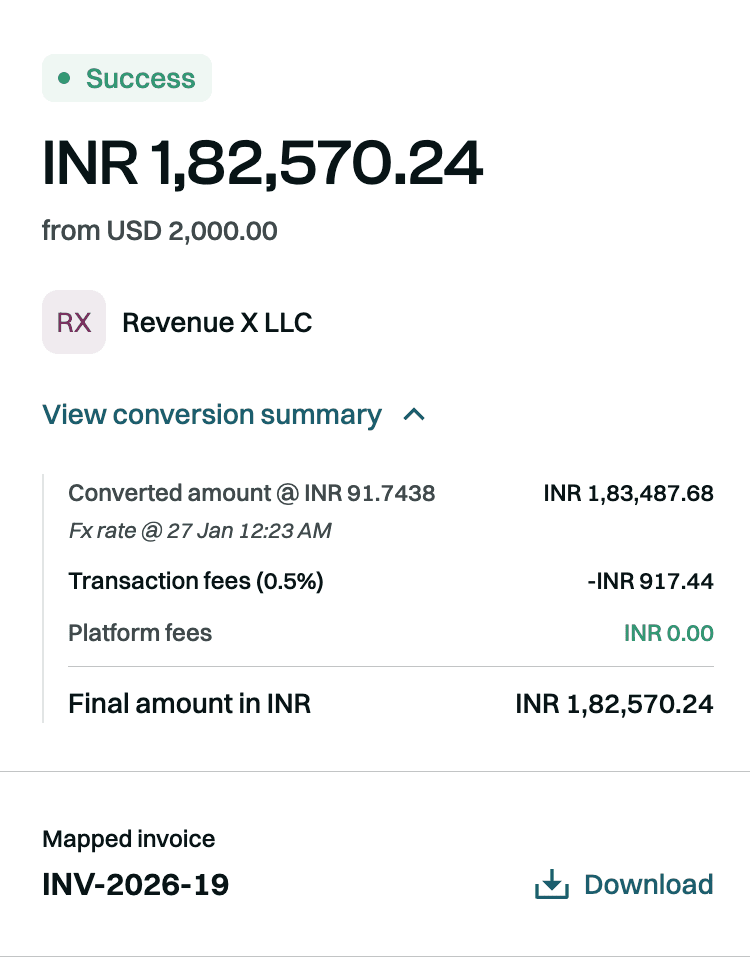
This works well if you want a platform where pricing feels predictable without switching between fee slabs.
For Example: If you are a contractor billing $30,000/month
Let’s say most of your payments are below $5,000, with a few above that.
For example: 5 clients pay $3,000 each, and 2 clients pay $7,500 each.
Infinity: 0.5% flat = $150/month
Xflow Growth: $160/month
Xflow Starter: $180/month
In this case, Infinity is cheaper overall because more of your invoices sit below the range where Xflow Growth starts becoming more cost-efficient.
So the real question is not just which platform is cheaper, but which one is cheaper for the way your clients actually pay you.
Pros
0% FX markup, which is one of the strongest selling points
Simple 0.5% all-inclusive pricing
1-day settlement is strong for cash flow
Free FIRA with every withdrawal
Real-time payment tracking
Global accounts in the US, UK, Canada, and Europe.
Multi-currency account support
Good fit for freelancers, agencies, exporters, startups, and service businesses
Stronger clarity on how much INR you receive
Cons
At $5,000 and $10,000, Xflow can be cheaper on the pure transaction fee
Note: 0% FX markup means the platform is not adding extra spread to the exchange rate.
50% FX cost savings means the platform says it is cheaper than another option, but it does not mean the FX cost is zero.
Infinity vs Xflow
Here is the practical comparison most buyers actually care about:
Criteria | Infinity | Xflow |
Transaction Fee | Flat 0.5% all-inclusive | Starter: $12 up to $2,000, then 0.6% above $2,000; Growth: $20 up to $5,000, then 0.4% above $5,000 |
FX Markup | 0% FX markup | Not positioned as 0% FX markup; focuses more on live/mid-market-linked FX visibility |
FIRA Charges | Free FIRA with every withdrawal | eFIRA supported, but not positioned as free, with every withdrawal in the same simple way |
Total Cost Predictability | Very easy to understand because of flat 0.5% pricing | Depends on which plan you are on and the invoice size |
INR Optimisation | Strong focus on live FX, no markup, and showing how much extra INR you receive | Focuses on guaranteed INR visibility and tracked withdrawals |
Settlement Date | Typically 1 day | Next business day before noon |
Payment Tracking | Yes, real-time updates | Yes, payout tracking is available |
Settlement Time | 1-day settlement | Next business day |
So the real decision here is simple:
Choose Infinity if you want clarity, zero markup, and smooth INR-focused collections
Choose Xflow if you want to optimize more for lower fee costs at certain invoice sizes
Summary
Infinity is a strong Xflow alternative if you want cross-border payments to feel simpler.
It is especially appealing when you do not want to think too much about fee slabs, markup confusion, or compliance friction.
You just want to know:
What your client pays
What you receive
When the money settles
And whether your FIRA is taken care of
That is where Infinity makes a strong case.
2. Skydo
If you are comparing Skydo vs Xflow, the biggest difference is in how the pricing behaves as your invoice size changes.
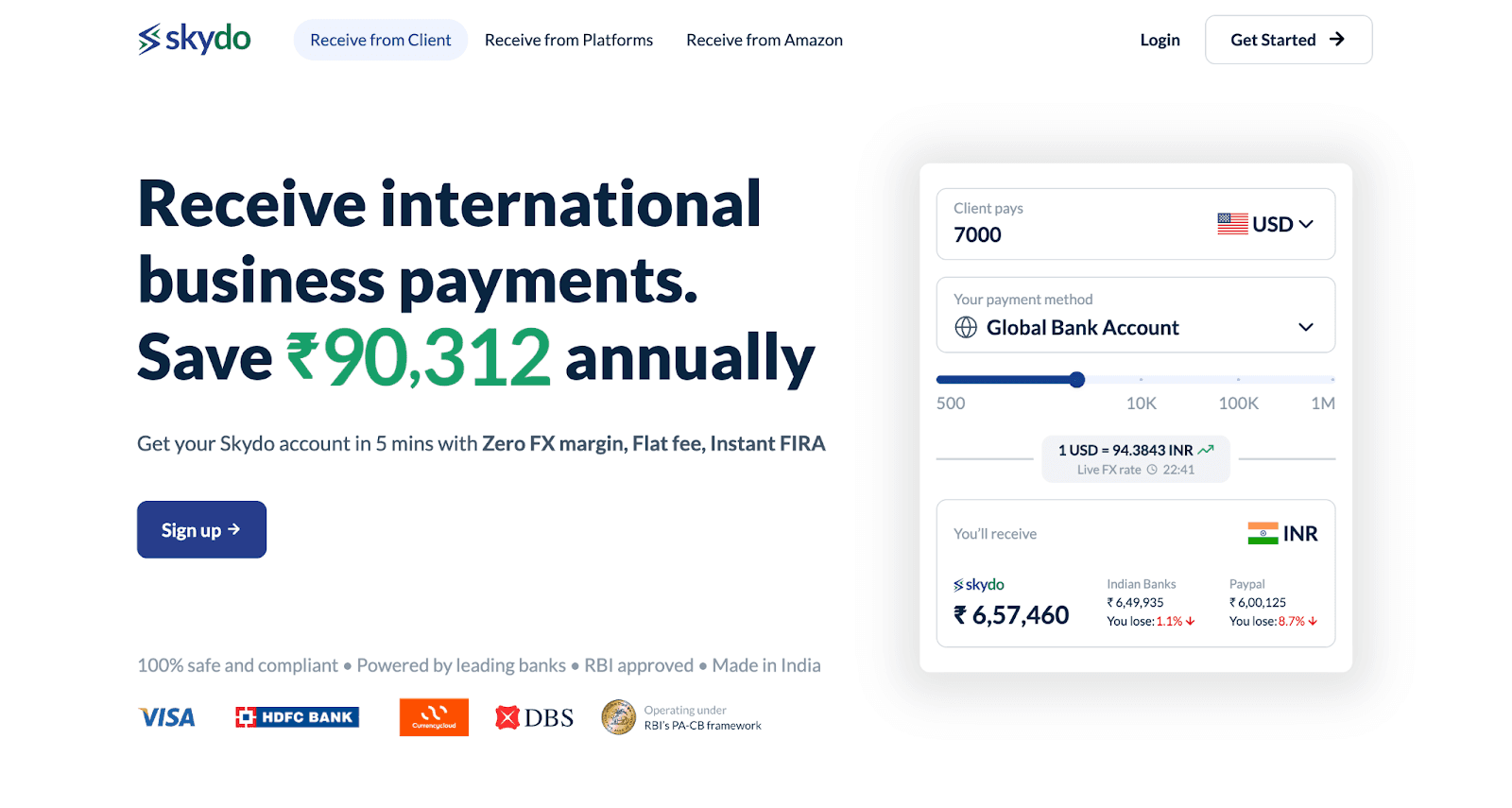
Xflow uses a plan-based model. Skydo uses a more direct model:
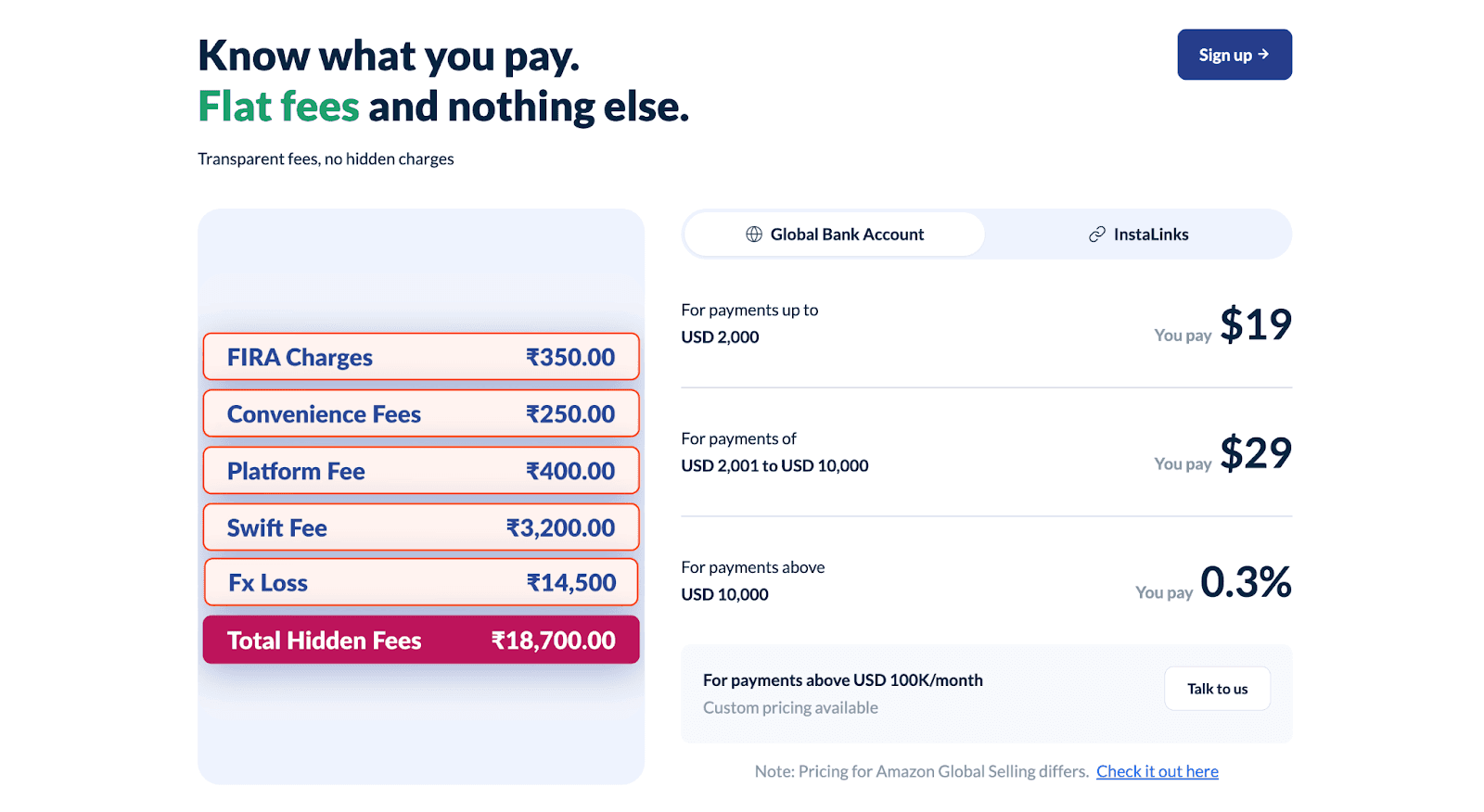
$19 up to $2,000
$29 from $2,001 to $10,000
0.3% (+18% Gst on transaction) above $10,000
Skydo also leans heavily on:
zero FX margin
instant FIRA
real-time payment tracking
global accounts in multiple countries
less than 24-hour settlement
So if you want a platform where pricing is slab-based and, especially for marketplace-like businesses, Skydo becomes a strong Xflow alternative.
At the same time, Xflow can still look better if your needs fit neatly into its fee plans and payout workflow.
Pricing
Skydo keeps pricing very transparent:
$19 + GST for payments up to $2,000
$29 + GST for payments from $2,001 to $10,000
0.3% + GST for payments above $10,000
custom pricing above $100,000/month
That means, including GST:
$2,000 payment = $22.42
$5,000 payment = $34.22
$10,000 payment = $34.22
$20,000 payment = $70.80
Pros
Zero FX margin
Very predictable pricing
Instant FIRA
Real-time payment tracking
Less than 24-hour settlement
Global accounts in US, UK, Canada, Australia, and 10+ more countries
Strong fit for Indian agencies, freelancers, consultants, exporters, and service businesses
Cons
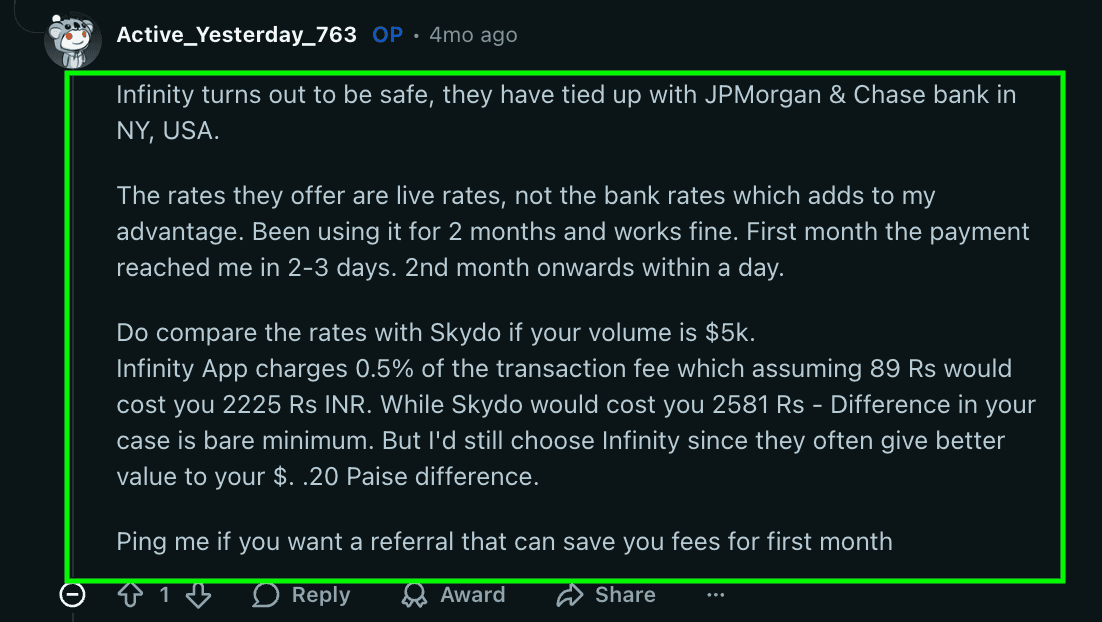
At $2,000-$5000, Skydo is more expensive than both Xflow and Infinity on pure fee
If most of your invoices are small, the flat fee may not feel as efficient
GST applies to Skydo’s transaction fee, so the final fee is slightly higher than the headline number
Some users may still prefer older global brands if client familiarity matters more than fee efficiency
Skydo vs Xflow
Here is the practical comparison most buyers care about:
Criteria | Skydo | Xflow |
Transaction Fee | $19 up to $2,000, $29 from $2,001 to $10,000, 0.3% above $10,000 | Starter: $12 up to $2,000, then 0.6% above $2,000; Growth: $20 up to $5,000, then 0.4% above $5,000 |
FX Markup | 0% FX margin | More focused on live / mid-market-linked FX visibility than zero-markup positioning |
FIRA Charges | Instant FIRA included | eFIRA supported |
Total Cost Predictability | Very high because the fee slabs are simple | Good, but depends on which Xflow plan you are on |
INR Optimisation | Strong focus on live FX and zero margin | Strong focus on INR visibility before withdrawal |
Settlement Date | Usually, same day / within 24 hours after payment is received | Next business day before noon |
Payment Tracking | Yes, real-time tracking | Yes, payout tracking is available |
Settlement Time | Less than 24 hours | Next business day |
So the takeaway is simple:
Choose Skydo if you want zero FX margin, instant FIRA, and slab-based pricing with marketplace integration.
Choose Xflow if your invoice sizes sit more often in the lower to mid range, and its pricing plan fits your workflow better
Read Infinity vs Skydo: Which Is Better for Indian Businesses? to understand its pricing in detail with examples.
Summary:
Skydo is a strong Xflow alternative if you care about:
transparent flat pricing
zero FX margin
instant compliance documents
faster tracking and settlement
and especially better cost efficiency on $10,000+ payments
It is not the best option if most of your payments are smaller and you want the lowest fee at the low end.
But for agencies, startups, and exporters receiving larger international payments, Skydo makes a very strong case.
3. Wise
If you are comparing Wise vs Xflow, the biggest difference is in how each platform thinks about pricing and FX.
Xflow is more structured around invoice-based pricing slabs for Indian businesses receiving international payments.

Wise is more focused on mid-market exchange rates, transparent fee breakdowns, and global money movement.
It is built more like a global money account than a narrowly India-first export collection tool. Wise says you get the mid-market exchange rate, support for 40+ currencies across 160+ countries, transparent pricing, and discounted fees above large transfer thresholds.
So if you care most about global flexibility and exchange-rate transparency, Wise stands out.
If you care more about predictable invoice-linked pricing, FIRA-style export workflows, and simpler India-focused collections, Xflow can still feel more directly built for that use case.
Pricing
This is where Wise is different from Xflow, Infinity, and Skydo.
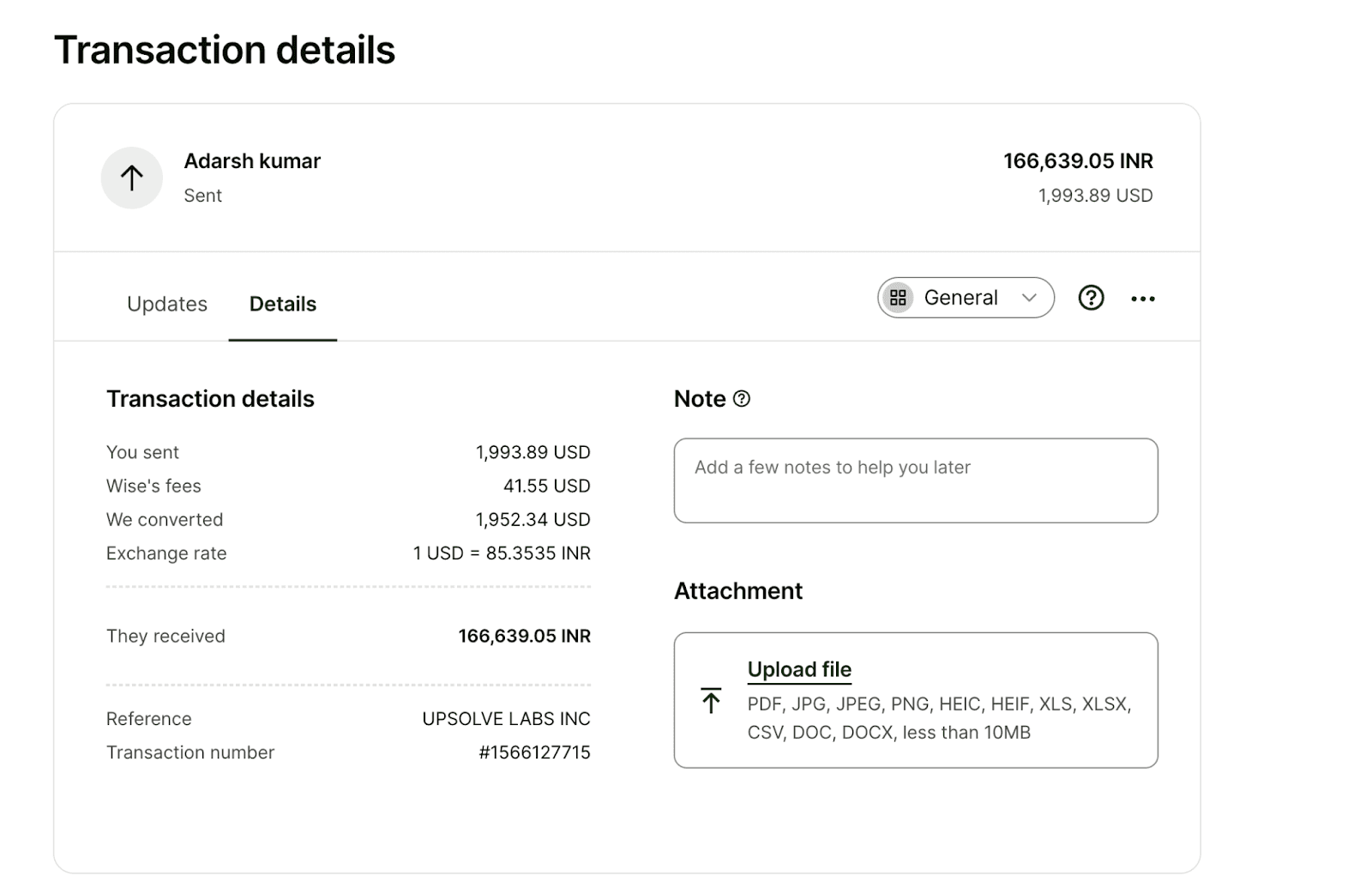
Wise does not present pricing as a simple flat cross-border collection fee in the same way. Instead, it shows:
mid-market exchange rate
transparent total fees
a sample fee calculator
discounts for higher transfer amounts above 25,000 USD or equivalent
So unlike Xflow or Infinity, Wise is better described as route-based transparent pricing, not a flat “0.5%” or “$29 per transaction” kind of platform.
Pros
Mid-market exchange rate
Strong transparency on fees and rate visibility
40+ currencies
160+ countries
Good global brand familiarity
Good fit if you receive, hold, convert, and move money across countries
Strong trust and regulatory positioning
Discounted fee structure for larger transfers above 25,000 USD equivalent
Cons
Pricing is not as simple as flat-fee India-focused tools
Harder to compare directly with Xflow on a strict per-invoice basis
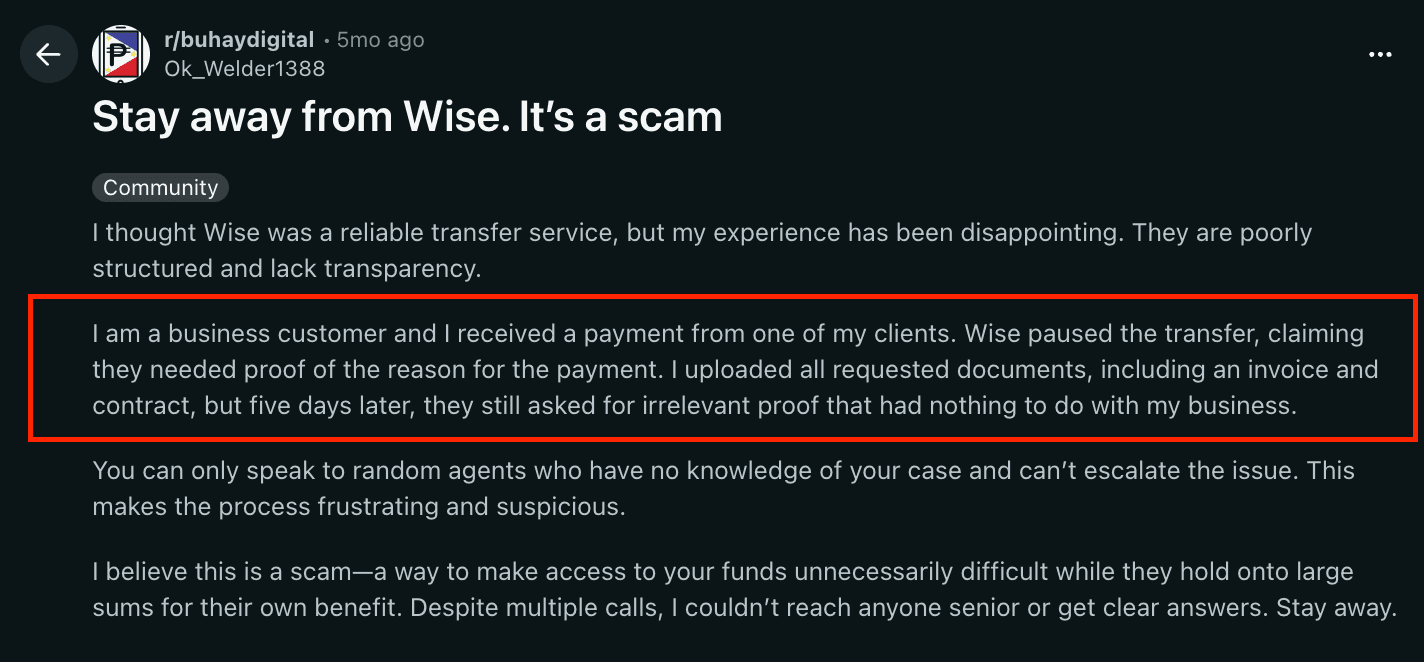
The attached Wise details do not position FIRA as a core feature the way Infinity or Skydo do, but you get FIRA in Wise.
If your main use case is export payment collection into INR with compliance documents and predictable invoice costs, Wise may feel less specialized for that exact workflow
Wise vs Xflow
Here is the practical comparison your reader will care about most:
Criteria | Wise | Xflow |
Transaction Fee | Variable, route-based, shown transparently before transfer | Starter: $12 up to $2,000, then 0.6% above $2,000; Growth: $20 up to $5,000, then 0.4% above $5,000 |
FX Markup | Uses mid-market exchange rate with no hidden-fee positioning | Focuses on live / mid-market-linked FX visibility, but not framed as pure mid-market positioning in the same way |
FIRA Charges | eFIRA supported | eFIRA supported |
Total Cost Predictability | Transparent before transfer, but varies by route and amount | More predictable if your invoice sizes fit its plan logic |
INR Optimisation | Strong on exchange-rate transparency | Strong on INR visibility before withdrawal |
Settlement Date | 2-3 business days | Next business day before noon |
Payment Tracking | Fee and transfer visibility are clear in the calculator flow | Yes, payout tracking is available |
Settlement Time | Depends on the route | Next business day |
Cost at $2,000 | Variable | $12 |
Cost at $5,000 | Variable | $20 |
Cost at $10,000 | Variable | $40 |
The main thing to understand here is simple: Wise is transparent, but not flat-priced like Xflow. It tells you the rate and fee clearly before you move money, but the total cost depends more on the transfer route and amount.
Summary
Wise is a strong Xflow alternative if you care more about global flexibility and exchange-rate transparency than fixed invoice-based pricing.
It is not the cleanest fit if your main goal is a very India-first export collection workflow with simple fee slabs and compliance-heavy positioning.
But if you want a platform that is easier to trust globally, easier to understand on the FX side, and useful across many currencies and countries, Wise makes a strong case.
Must Read: Best Wise Alternatives in India for 2026
4. Payoneer
If you are comparing Payoneer vs Xflow, the biggest difference is in global reach vs India-focused payment workflow.
Xflow feels more like a platform built for Indian businesses receiving international payments with clearer invoice-linked pricing.
Payoneer feels more like a global business payments network.
It is designed for:
Businesses working with overseas clients
Freelancers receiving from clients or marketplaces
Marketplaces and partners managing cross-border payouts
Users who want a multi-currency account with wide country coverage
So if your priority is global coverage, broad currency support, and international payment flexibility, Payoneer stands out.
If your priority is simpler fee predictability, India-focused compliance flow, and structured export collection pricing, Xflow may still feel more direct.
Pricing
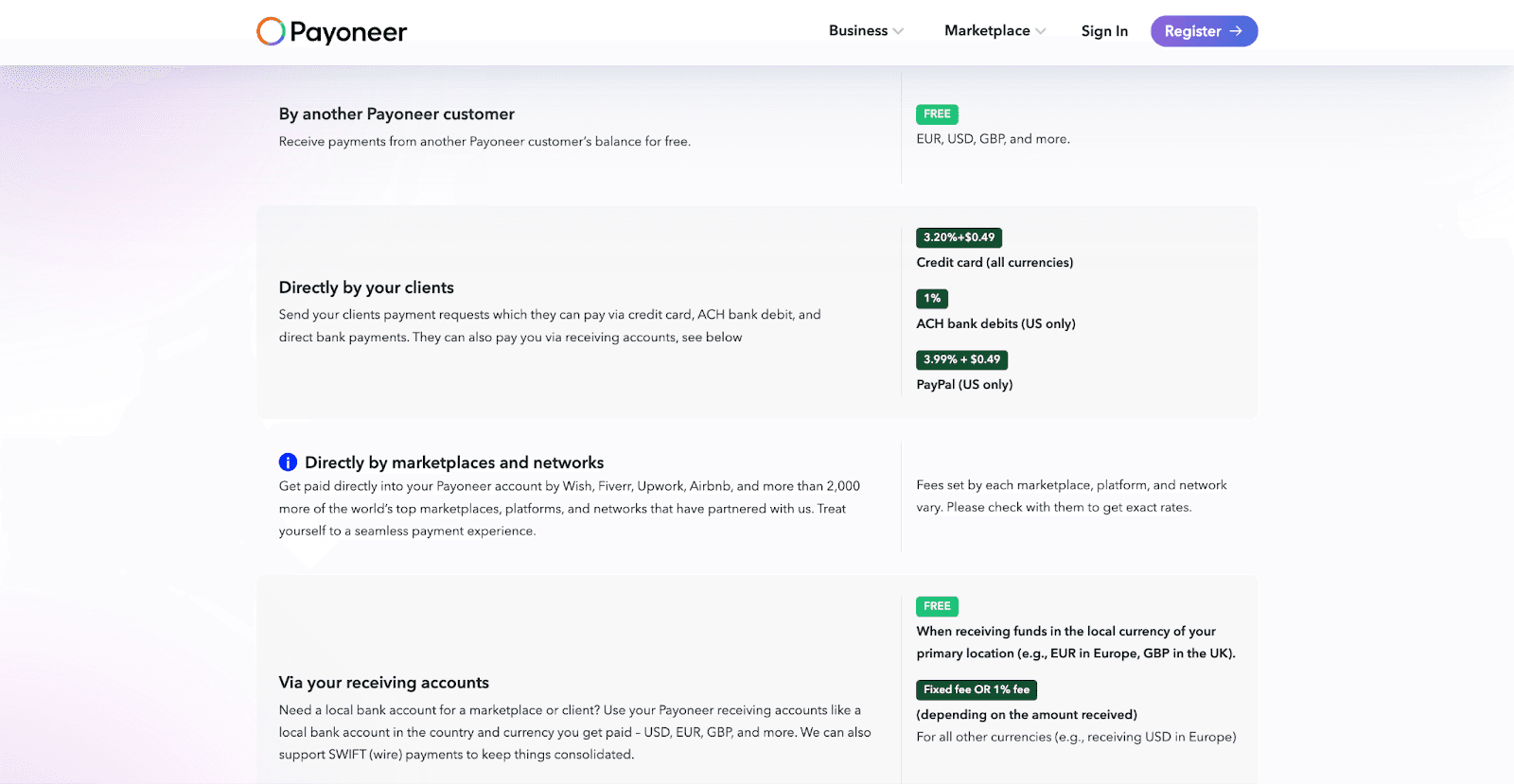
Payoneer’s pricing is harder to compare directly with Xflow because it does not follow a single flat-fee structure. This is where Payoneer is different from Xflow, Infinity, and Skydo.
Instead, the fee depends on how the money reaches you.
Here is how Payoneer charges:
Payment Method | Payoneer Fee |
From another Payoneer customer | Free |
Client pays by credit card | 3.20% + $0.49 |
Client pays by ACH bank debit (US only) | 1% |
Client pays by PayPal (US only) | 3.99% + $0.49 |
Via receiving accounts in local currency | Free in some same-currency/local-location cases |
Via receiving accounts in other currencies | Fixed fee or 1%, depending on the amount/currency |
Withdraw from the foreign currency balance to the Indian bank account | 1% to 4% |
Annual account fee | $29.95, only if you receive less than $6,000 in 12 months |
So the main thing to understand is:
Payoneer can be cheap or even free in some cases
But it can also become more expensive depending on the payment route
especially when clients pay by card, PayPal, or when you withdraw foreign currency into INR
That is why Payoneer is not as easy to model as Xflow.
With Payoneer, you first need to ask:
Is the client paying by card, ACH, PayPal, or bank transfer?
Are you receiving via local receiving accounts?
Are you withdrawing into INR from another currency balance?
Are marketplace fees involved?
That changes the total cost a lot.
Pros
70 currencies supported
190+ countries covered
Good fit for global businesses, freelancers, and marketplace payouts
Strong international brand familiarity
Useful when clients, employers, or marketplaces already support Payoneer
Built around global business payments, not just one-country collections
Stronger fit if you work across multiple markets and currencies regularly
Cons
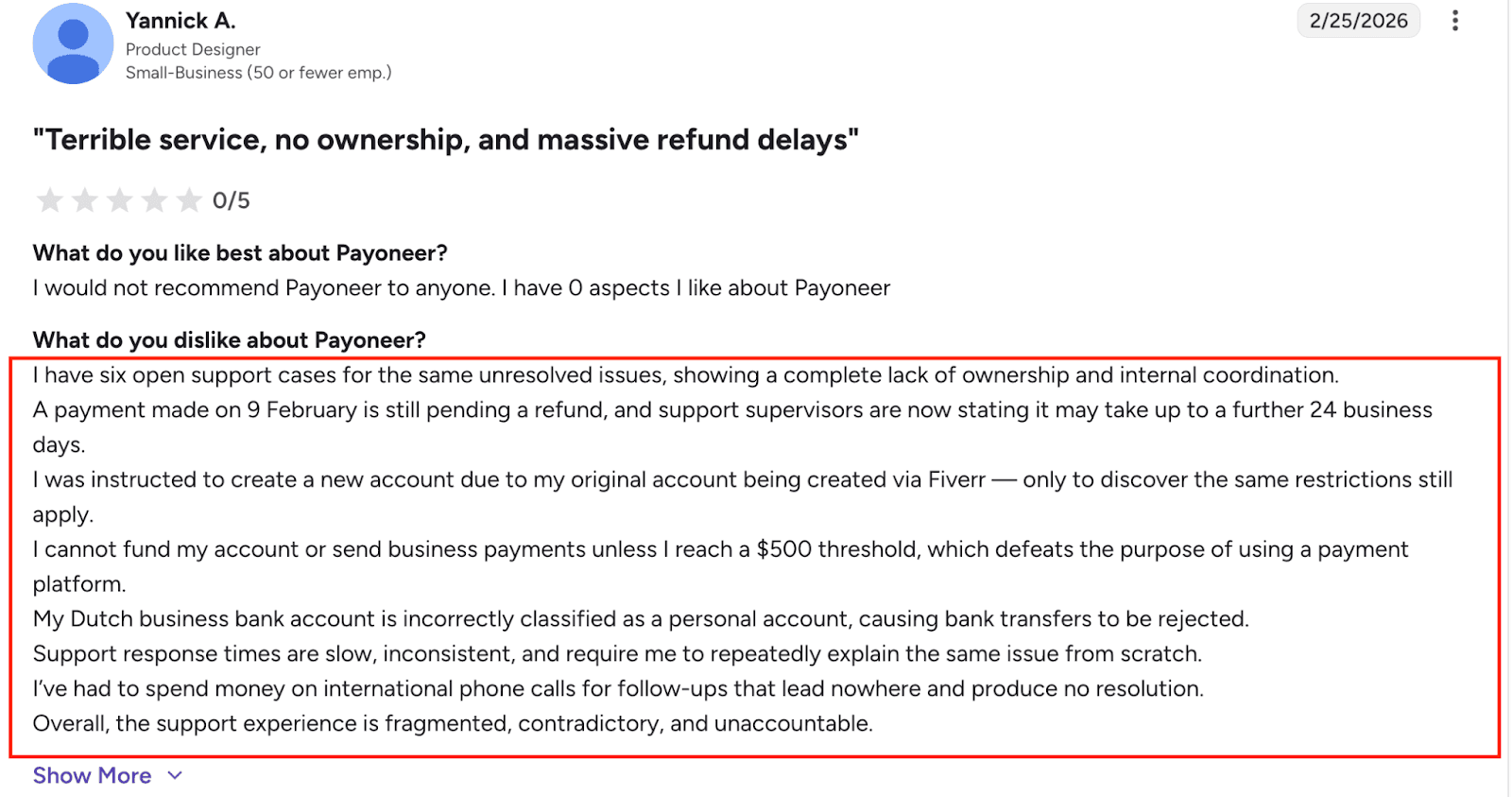
Pricing is not shown in a simple, invoice-based way in the attached material
Harder to compare directly with Xflow on the exact transaction cost
The attached page does not position FIRA or India export compliance as a core differentiator
May feel broader than what you need if your main goal is just receiving cross-border payments into INR
If you want high fee clarity before choosing, Payoneer may require more digging than Xflow or Infinity
Payoneer vs Xflow
Here is the practical comparison your reader will care about most:
Criteria | Payoneer | Xflow |
Transaction Fee | 1% to 4% | Starter: $12 up to $2,000, then 0.6% above $2,000; Growth: $20 up to $5,000, then 0.4% above $5,000 |
FIRA Charges | Supported | eFIRA supported |
Total Cost Predictability | Lower | Higher, because pricing depends on clear plan slabs |
INR Optimisation | Broader multi-currency/global approach | More directly optimized for INR-focused international collections |
Settlement Date | 1-2 business days | Next business day before noon |
Payment Tracking | Broad payment platform positioning | Yes, payout tracking is available |
Cost at $2,000 | Depends on the type of transaction | $12 |
Cost at $5,000 | Depends on the type of transaction | $20 |
Currencies Supported | 70 currencies | 25+ currencies |
Country Coverage | 190+ countries | More limited than Payoneer’s global footprint based on available positioning |
The core difference is simple: Payoneer wins on global footprint, while Xflow wins on fee clarity and India-focused payment structure.
So the takeaway is:
Choose Payoneer if you need global coverage, wider currency support, and international business flexibility
Choose Xflow if you want simpler fee predictability and a clearer India-focused payment collection workflow
Summary
Payoneer is a strong Xflow alternative if your work is more global than local.
It is especially useful if you deal with international marketplaces, clients across multiple countries, or workflows where a multi-currency business account matters more than fixed invoice pricing.
But if your main goal is to compare exact payment cost, understand fee impact quickly, and optimize export payments into INR, Xflow is easier to evaluate.
Must Read: Payoneer Review 2026: Fees, Features & Pros
5. Stripe
If you are comparing Stripe vs Xflow, the biggest difference is in what each product is trying to solve.
Xflow is easier to look at as a cross-border payment collection platform for Indian businesses.
Stripe is much broader.
It is built for businesses that want to:
accept payments globally
run subscriptions or billing
create payment links or checkout flows
embed payments into products or platforms
build on top of APIs and financial infrastructure
So if you just want to receive international client payments into India with a simpler workflow, Xflow feels more direct.
If you want a broader stack for payments, billing, checkout, subscriptions, integrations, and platform growth, Stripe becomes much more relevant.
Also Read: Stripe Review 2026: Features, Fees & Key Insights
Pricing
Stripe’s pricing is more transaction-led than remittance-led.
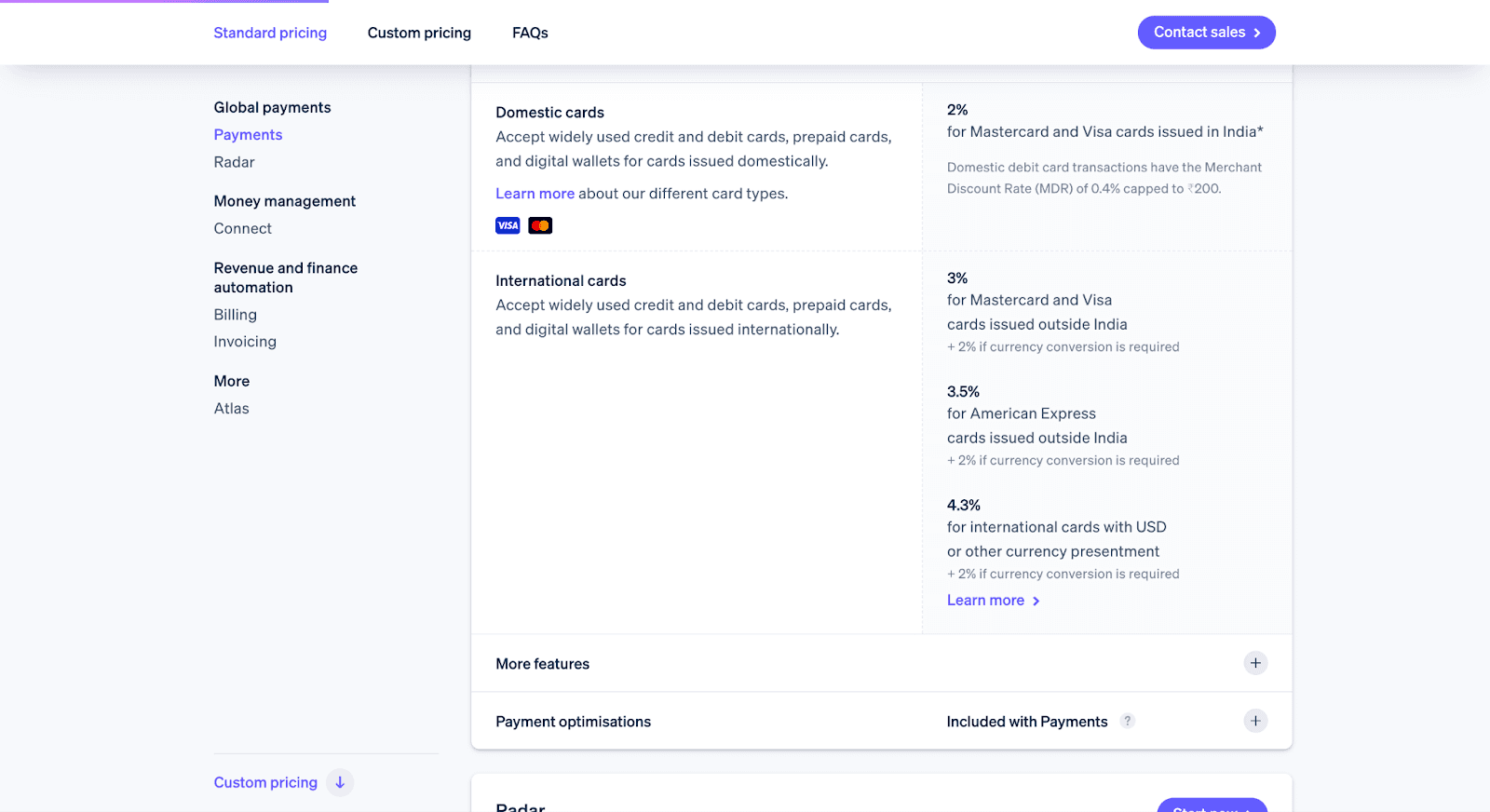
For businesses in India, Stripe’s standard pricing is:
2% for cards issued in India
3% for cards issued outside India
+2% if currency conversion is required
3.5% for American Express cards issued outside India
+2% if currency conversion is required
4.3% for international cards with USD or other currency presentment
+2% if currency conversion is required
That means Stripe can become much more expensive than Xflow-style tools when you are collecting international payments from overseas clients.
It means
If your client pays using an international card, the base fee is already 3%.
And if the payment needs currency conversion, Stripe adds another 2%.
So in many cross-border cases, your effective fee can become:
3%
or 5%
and sometimes even more, depending on card type and setup
Stripe Pricing Example vs Xflow
Here is a simple way to understand it:
Payment Amount | Stripe | Xflow |
$2,000 | $60 at 3% or $100 at 5% | $12 |
$5,000 | $150 at 3% or $250 at 5% | $20 |
$10,000 | $300 at 3% or $500 at 5% | $40 |
If you are just trying to receive money from global clients into India, Stripe can become far more expensive.
Pros
135+ currencies and payment methods
Presence across 160 countries
Strong fit for SaaS, e-commerce, platforms, and startups
Supports billing, invoicing, payment links, subscriptions, and payouts
Strong developer tooling and APIs
Good fit if you want one system for payments plus revenue operations
High reliability and global scale positioning
Cons
Not positioned as a simple export-payment tool for Indian businesses
Pricing is not shown in a simple invoice-based way in the attached material
The attached content does not position FIRA or India-specific remittance compliance as a core strength
May feel too broad if your only goal is receiving overseas client payments
Harder to compare with Xflow on exact $2k / $5k / $10k payment cost using only the attached information
Stripe vs Xflow
Here is the practical comparison your reader will care about most:
Criteria | Stripe | Xflow |
Transaction Fee | 3-5% | Starter: $12 up to $2,000, then 0.6% above $2,000; Growth: $20 up to $5,000, then 0.4% above $5,000 |
Total Cost Predictability | Lower for this use case, because Stripe pricing depends on the broader payment setup | Higher, because Xflow uses clear payment slabs |
Payment Tracking | Strong infrastructure for payments and payouts, but not framed as export remittance tracking here | Yes, payout tracking is available |
Currencies Supported | 135+ currencies and payment methods | 25+ currencies |
Country Coverage | 160 countries | More limited than Stripe’s global commerce footprint based on available positioning |
The real point here is simple: Stripe wins on breadth, while Xflow wins on focus. Stripe is trying to power global commerce infrastructure.
So my takeaway here is:
Choose Stripe if you need a broader payment and billing stack
Choose Xflow if you want a more straightforward cross-border payment collection workflow
Summary
Stripe is a strong Xflow alternative if your business needs more than just receiving international payments.
It is especially useful for SaaS companies, productized services, platforms, and startups that want one system for payments, billing, subscriptions, and scale.
But if your main goal is to compare exact remittance costs, receive payments into INR, and manage export-style collections with less complexity, Xflow is easier to evaluate and easier to use for that specific job.
Which Xflow Alternative Should You Choose?
The right Xflow alternative depends less on brand and more on how you get paid, how much you get paid, and what you want to optimize.
If you want... | Choose... |
the simplest pricing with 0% FX markup and fast settlement | Infinity |
more situational for specific, larger-invoice patterns | Skydo |
a more global, trusted money movement platform with strong FX transparency | Wise |
wider global coverage and a multi-currency account used by clients and marketplaces worldwide | Payoneer |
a full payments, billing, and checkout infrastructure beyond just cross-border collections | Stripe |
So, if your goal is mainly to receive international payments into India with lower friction, Infinity and Skydo will usually be the closest alternatives to evaluate first.
The best choice comes down to which platform helps you keep more money, get paid faster, and make cross-border collections easier for your workflow.
Book a demo here


